Amazon Split Your Variation Family? Here’s How to Fix It
By Onur Simsek · · 5 min read
Hey friends,
While writing my previous post, “How to Remove a Child ASIN from a Variation Family on Amazon,” I thought I should write this one too. The solution is actually the same, but the starting points are different.
Of course, it doesn’t necessarily have to be a bug. If you created a variation family that violates Amazon’s variation rules, Amazon can rightfully break it apart. But what I’m talking about here happens to compliant listings too. I’ve personally experienced this several times and confirmed with Amazon Seller Support that the split was not caused by a policy violation.
Let’s not drag this out. To be honest, I haven’t figured out what causes this problem.
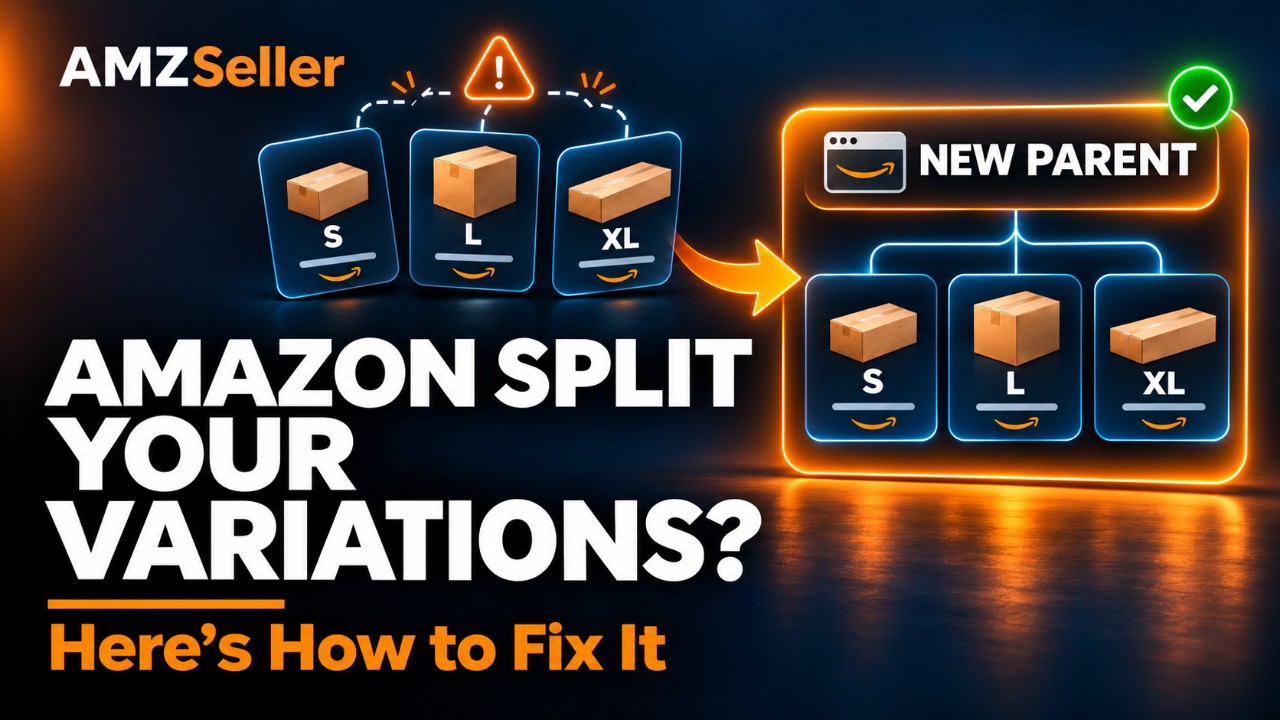
For example, you have a size variation with Small, Large, and X-Large options. There’s no policy violation here. Different sizes of the same product should obviously be listed as a size variation. Yet this can still happen.
Personally, I haven’t been able to understand why. During my research, I came across some unhelpful explanations, but none fully convinced me. If you know the reason, leave it in the comments so everyone can benefit. What I can explain is the solution—which is really the main thing someone dealing with this problem is looking for.
In my experience, this can happen in two ways. Amazon may send you an email about it, or it may silently break the parent-child relationship without sending anything. I’ve seen both.
Anyway, however you find out about it, the solution is the same. When this first happened to me, probably about four years ago, I turned to Seller Support for a solution.
I opened case after case, spoke to them on the phone, and worked with the catalog team. So we investigated this with the specialists too, not just the representatives you initially reach when contacting support.
Since I’ve personally been through this, I’m sharing what I learned to help those dealing with it for the first time.
How do I put a broken variation family back together myself?
First, check your inventory in Seller Central.
Even though the variations are no longer connected on the product detail page, the parent may still be sitting in your inventory with the child ASINs attached to it. Or the parent may already be gone, with all the children showing as standalone listings.
I’ve seen both situations.
If the parent is still there, delete it. In Seller Central, click the three dots next to the parent listing and select “Delete Listing.” Alternatively, go to Add a Product → Spreadsheet and upload a flat file with a delete action for the parent only.
You’re deleting the parent here, not the child listings.
Give it about 15–20 minutes for the change to process. Your child listings should then appear individually in your inventory.
If the parent is already gone and the children are already showing as standalone listings, you can skip that step.
Now create a new parent and use a flat file to attach your existing child listings to it.
Set up the file like this:
- For the new parent, select “Create or Replace (Full Update)” under “Listing Action.”
- For your existing child listings, select “Partial Update.”
- Fill in the parent-child relationship fields, including the new Parent SKU, the appropriate Parentage Level, and the correct Variation Theme. Include the relevant variation attributes, such as each child’s size or color.
You’re creating a new parent and attaching your existing listings to it. You’re not creating new child ASINs.
The important part is selecting Partial Update for your existing child listings. That way, only the fields you fill in affect those listings. The fields you leave blank do not mean “delete.”
As I explained in the previous article, I would be very careful about using Full Update on an established listing with a sales history. There’s no need to take that risk just to rebuild the parent-child relationship.
Upload the file, check the processing report, and resolve any errors shown there. Then give Amazon some time to reflect the new relationship on the product detail page.
Can this happen again after I fix it?
Yes. Because this only clears away the rubble. It doesn’t remove the reason the building collapsed.
As I said, if you’re not violating any rules, I believe this is a bug. But I haven’t figured out what triggers it.
My suspicion is that Amazon’s automated system scans the listing, incorrectly decides that the variation family isn’t valid, and breaks it apart.
Maybe Amazon has fixed this after receiving enough complaints. I don’t know the current situation. It hasn’t happened to me again for a while either, but that doesn’t mean it won’t.
Plenty of sellers experience this problem, and when they ask me for help, I now plan to send them straight to this article. :)
Does creating a new parent hurt the history of the listings attached to it?
No. Your listings’ keyword rankings and history aren’t tied to the parent.
When you group your existing listings under a new parent, I wouldn’t expect you to see an unusual drop in sales.
You’re still working with the same child ASINs. What you’re rebuilding is the relationship between them.
Will I lose my reviews when I delete the old parent?
No. There’s nothing to be afraid of. Reviews belong to the child ASINs, not the parent.
When the parent-child relationship breaks, each listing continues with its own reviews. Deleting the old parent doesn’t delete the reviews belonging to those child listings.
Will the reviews combine again under the new parent?
Yes. Once the variation family is rebuilt, the reviews of the ASINs attached to the new parent are displayed together again.
This may take some time—possibly a few hours. Don’t panic if the review counts don’t combine immediately. Give the changes some time to appear.
What happens to my listings’ BSR?
While the listings are separated, each ASIN displays its own BSR.
When they’re grouped under a parent, they function as one family, and the BSR reflects their combined performance. When that relationship breaks, each listing appears with its own BSR again.
So if you suddenly see different BSRs across your previously connected variations, that doesn’t mean their sales history has disappeared. You’re now seeing the rankings of the individual listings.
Once you rebuild the variation family, the shared BSR should appear again after Amazon processes the relationship.
You can leave any questions I haven’t answered here in the comments below.
Take care, and see you in the next video or blog post.
Comments
Loading comments…