Amazon Sales Suddenly Dropped? Here’s What to Check
By Onur Simsek · · 11 min read
Hey everyone,
Whenever you visit the Amazon seller forums, there’s always a topic along the lines of “Has anyone else seen a drop in sales this month?” Someone inevitably shows up with an answer that helps absolutely nobody. Sometimes the replies almost make you think people enjoy discouraging whoever started the thread.
Of course, in the vast Amazon ocean, your sales dropping doesn’t necessarily mean everyone’s sales are down. Unless the economy is experiencing a major slowdown, the cause is probably something more specific.
So what could actually be happening? Throughout my long—and still ongoing—career as a seller, I’ve experienced drops and periods of stagnation too. In this article, I’ll examine the issue based on my own experience. We need to approach this like a doctor examining a patient.
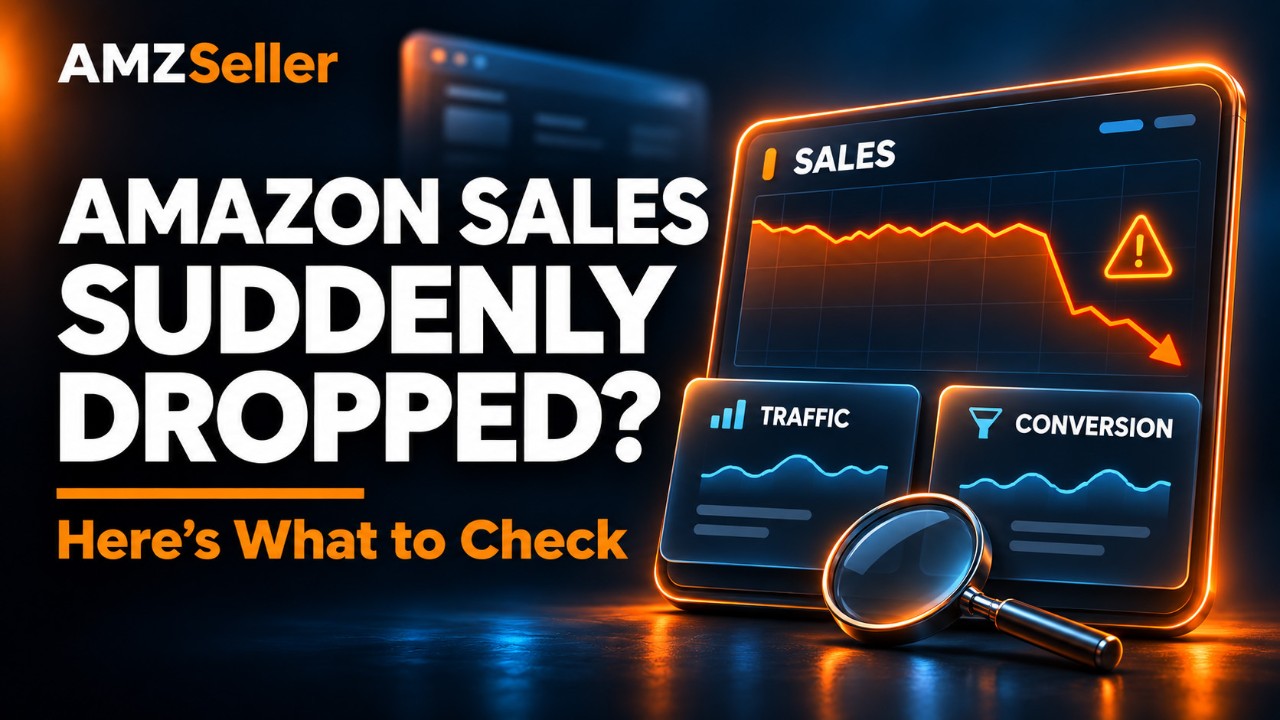
The diagnosis: Did your traffic drop, or did your conversion rate drop?
This is the critical diagnostic question.
To find the answer, go to Business Reports in Seller Central—if you can find it in the redesigned Seller Central :)
While we’re on the subject, here’s a practical way to deal with the new Seller Central: forget the menus. Click Site Map in the footer, and you’ll find all the page links neatly laid out in front of you.
There’s also this notice:
So depending on when you read this article, the place you need to look may have changed.
In Business Reports, look at these columns:
- Sessions: This shows your traffic.
- Order Item Session Percentage: This shows your conversion rate.
Sales come from multiplying two things: how many people visit your page and what percentage of those visitors buy. If sales have dropped, at least one of those two has declined. Finding out which one tells you where to look.
Imagine you normally get 2,000 visitors a day, and 10% buy, giving you 200 sales. Now sales have dropped to 100. There are three possible scenarios:
| Situation | Visitors (Sessions) | Share who buy (Conversion) | Sales | Diagnosis |
|---|---|---|---|---|
| Normal | 2,000 | 10% | 200 | — |
| Scenario A | 1,000 ↓ | 10% | 100 | Traffic problem |
| Scenario B | 2,000 | 5% ↓ | 100 | Conversion problem |
| Scenario C | 1,250 ↓ | 8% ↓ | 100 | Both |
Now let’s examine the possibilities accordingly.
If the problem is declining traffic
First, make sure you’ve ruled out these possibilities:
- Is your listing actually live? Check for suppressed listings, search suppression, or a broken variation family.
- Are your ads running as they used to? Check for budgets running out halfway through the day, rising CPCs, or campaigns that have stopped.
- Has your category or browse node changed?
I’m not going to explain each of these individually. Check them quickly, then move on.
Let’s focus on the bigger possibilities.
Have your keyword rankings dropped?
Yes, this is clearly one of the most obvious reasons for a traffic drop.
But how would you know? Where did you rank before, and where do you rank now?
You can’t reliably track this manually. Even if you try, the results you see on your own computer can be inconsistent because Amazon personalizes search results based on your customer profile. Rankings need to be checked using a neutral IP address and ZIP code. That calls for professional tracking.
In short, you need a Keyword Rank Tracker.
The tool that delivers the most precise keyword tracking is AMZSeller.com’s Keyword Rank Tracker. I’m not just saying that. I used many of the tools on the market as a seller, saw where they fell short, and then addressed those shortcomings in AMZSeller’s version.
Anyway, wherever you get this service, it’s one of the essential tools for a seller who wants to succeed.
If you haven’t been using one, though, you can’t go back and compare where your struggling product ranked before with where it ranks now. Starting today is still important for the future.
For now, check manually as best you can. Search Amazon for the keywords you’re strongest on and see whether your position has slipped significantly from where you remember it being.
If you see a decline, open your wallet and launch a Sponsored Products campaign targeting those keywords.
Have you lost a badge?
The Best Seller or Overall Pick badge—formerly Amazon’s Choice—on your product in search results is one of the first things customers notice.
When that badge disappears, you can get fewer clicks even if your search position hasn’t changed. That means fewer sessions.
- Best Seller: This indicates that your product is the best seller in its subcategory and is updated frequently. You can lose it if a competitor overtakes you or your product moves to another category.
- Overall Pick: This is awarded for a particular search term. Amazon doesn’t disclose the exact criteria, but says it selects highly rated, well-priced products that are available to ship immediately. A price increase, a lower star rating, or a longer delivery time can cost you this badge.
To check, search your main keywords in an incognito window and see whether your product still has a badge. For Best Seller, you can also check the Best Sellers Rank section on the product detail page.
One warning: losing a badge is often a consequence rather than the original cause. Your sales may have dropped for another reason, causing you to lose the badge, which then pushed sales down further.
If the badge is gone, ask “Why did it disappear?” and check the other points in this article.
Has your subcategory ranking dropped too?
I’m talking about your subcategory ranking, not your main category BSR.
For example, if you ranked tenth when sales were good, where do you rank now?
If your sales have dropped but you’re still tenth, that suggests the issue isn’t specific to you. Sellers offering your type of product may be experiencing a broader slowdown.
There can be many reasons: seasonality, demand tied to particular occasions, and so on.
In that case, there may be nothing to worry about. But you can still treat it as an opportunity. If you advertise more aggressively during this period, you may gain rank while your competitors retreat. Turn the crisis into an opportunity.
But if they’re holding their positions—or improving—while you’re the one falling behind, we have a problem.
Quickly check the competitors who have overtaken you. Are they running deals, discounts, or coupons? How do their prices compare with yours? Have you become too expensive relative to them?
Check your pricing. Price is often the main reason behind this situation.
Customers see your product as expensive in search results and don’t click. Your price may also have contributed to a drop in keyword rankings, which directly reduces traffic.
If the problem is declining conversion
Do you still have the Buy Box?
Open your product page in an incognito window.
If another seller’s name appears below the Add to Cart button, or you see See All Buying Options instead of the button, you’ve lost the Buy Box.
The customer’s order is either going to another seller or not being placed at all.
Do you have enough inventory?
Yes, I know this question can be irritating.
You might be thinking, “Do you think I wouldn’t notice if I’d run out of stock? Why would I be asking why my sales dropped?”
But that’s not quite what I mean.
For FBA sellers, lower inventory can mean significantly longer delivery times in some regions.
In his 2023 letter to shareholders, Amazon CEO Andy Jassy explained that Amazon had divided its single national U.S. fulfillment network into eight interconnected regions. According to a later statement from Jassy, that number has since increased to ten.
The logic is simple: each region fulfills orders from its own inventory as much as possible.
When you have plenty of inventory, your product can be distributed across those regions, and most customers see one- or two-day delivery.
When inventory falls, your stock may remain in only a few regions. Customers elsewhere may see delivery dates five to seven days away.
So you might have 200 units in FBA while half the country sees your product as something that will take a week to arrive. Many of those customers will choose a competitor that delivers tomorrow.
If you used to hold more inventory, your stock levels have recently fallen, and sales have declined alongside them, you need to check this.
How do you check?
Sign out of your account or open an incognito window. Go to your product page and change the ZIP code under Deliver to in the top-left corner of Amazon.
Amazon doesn’t publish its regional boundaries, but these eight ZIP codes give you a geographic spread across the U.S.:
- New York, NY: 10001 — Northeast
- Atlanta, GA: 30303 — Southeast
- Chicago, IL: 60601 — Midwest
- Dallas, TX: 75201 — South
- Denver, CO: 80202 — Mountain region
- Phoenix, AZ: 85004 — Southwest
- Seattle, WA: 98101 — Northwest
- Los Angeles, CA: 90012 — West Coast
If you’re short on time, start with New York, Chicago, Dallas, and Los Angeles for a quick initial check.
How should you interpret the results?
“Four days” or “five days” doesn’t mean much on its own. Look at two things:
- Differences between regions: If some ZIP codes show one- or two-day delivery while others show five to seven days, your inventory isn’t spread widely enough across the country.
- Differences from competitors: Check competing products using the same ZIP code. If they deliver tomorrow and you deliver next week, that’s very likely contributing to your sales decline.
Is there a problem with your reviews?
Look at this from two angles.
First, has your rating changed? In particular, a rating of 4.3 may display as four and a half stars, while 4.2 displays as four stars. That can directly reduce conversion.
Second, have you recently been hit by a wave of one-star reviews?
Check both.
Has your listing content changed without your knowledge?
Give this a quick check too.
Amazon may have removed images without telling you or changed your title or bullets.
Have you been hit with the “Frequently returned item” badge?
This is a complete conversion killer.
In my experience, getting the Frequently returned item badge can reduce sales by at least 20–30%.
Getting rid of it quickly isn’t easy.
You either need to fix the issue causing returns in your next production run, or lower your price to a point where customers don’t feel returning the product is worth the trouble. Then hold it there for a while until the badge disappears.
But if you raise the price again without fixing the product, the badge may eventually come back.
That’s why fixing the underlying product issue should be your main solution.
Are you approaching a major shopping event?
Yes, this happens. And I don’t like it either.
It can also happen immediately after a major event: Cyber Monday, Black Friday, Prime Day…
Sales can slow down both before and after these events.
Beforehand, customers wait for discounts. Afterwards, a large number of people have already done their shopping and met their needs, so there are fewer customers ready to buy.
These are temporary periods. Sometimes there’s nothing to do but wait.
If you have a variation family, are the variations still connected?
Amazon can break apart a variation family with or without notifying you.
It happens. I’ve written a separate article about it and explained the solution there: “Amazon Split Your Variation Family? Here’s How to Fix It.”
Check this quickly.
It’s easy to overlook something like this when you’re focused on figuring out why sales dropped, so it’s worth a quick check.
Check your pricing and competitors
I covered this under traffic, but pricing obviously affects conversion too. In fact, it may be more accurate to say it affects conversion even more.
Compare your price with your competitors. Check their:
- Deals
- Coupons
- Prime-exclusive prices
The important comparison is what things looked like before versus what they look like now.
If you were already more expensive and still selling well, it wouldn’t be right to automatically blame the decline on price. Every product needs to be assessed according to its own history and dynamics.
Personally, I’m not a big fan of discounts. If I’m going to lose money, I’d rather spend it on advertising than give it away through a price cut.
There’s another issue: directly lowering your price can affect your future deal prices. If that leaves you unable to run deals—or only able to run them at a loss—you can push the product into a death spiral.
You need to be careful with that.
Alright, I’ve tried to cover the reasons that came to mind. I may have missed a few, so leave them in the comments and let’s discuss them together.
There’s something else I want to say. By now, you should have noticed that solving this problem—or treating this illness, to stay with our analogy—is much harder once you’re already sick. And you actually have some control over whether you get sick in the first place.
During the pandemic, a health minister once said, “We have a very powerful weapon against this disease: not catching it.” :)
But in this situation, that’s actually a valid approach. Don’t catch it.
How? We really do have a powerful weapon for that: AMZSeller.com’s Rival Watch.
This tool continuously compares the competitors you select with your own product. It tracks prices, BSR, deals, coupons, subcategory rankings, your badges, your competitors’ badges, reviews, stock and just about everything else you can think of in real time. It gives you daily reports, monitors where you stand, and keeps its finger on the market’s pulse.
Add AMZSeller.com’s Keyword Rank Tracker and actively monitor your keyword rankings, and you make that position even stronger.
For the finishing touch, AMZSeller.com’s Rank Guard automatically responds to drops in your main category or subcategory rankings by adjusting your pricing and advertising, working to keep your product at your target rank.
Together, these three tools turn your products into a fortress that isn’t easily conquered.
I’m not saying this just to praise the tools. I developed them to solve the problems I’d experienced myself, within the boundaries Amazon allows, and then made them available to all sellers.
Take a look at AMZSeller’s Ready Packages, or visit Build Your Plan to create your own plan by adding the tools you want.
Competition on Amazon gets tougher every day. But the sellers who win this battle will be the ones with a competitive advantage. Our entire purpose at AMZSeller.com is to give you that edge.
Take good care of yourselves, and I’ll see you in the next article.
Comments
Loading comments…