A New Way to Get Reviews: Amazon’s Review Requests Ads
By Onur Simsek · · 4 min read
Hi everyone,
Today I want to walk you through a new way of getting reviews that Amazon launched on November 11, something I have long felt was missing.
What struck me most is that it came as an ad campaign. I would have expected it to arrive as a program, something like Amazon Vine.
Frankly, the fact that it is a Sponsored Products campaign didn’t quite add up for me. Sponsored Products is built on bidding and auctions: advertisers going after the same target compete with each other, and a bid comes out of that. Here the target is a customer who has already bought from you. So who is the ad competing against?
I put that question directly to Amazon.
Now let’s dig into it.
How it works
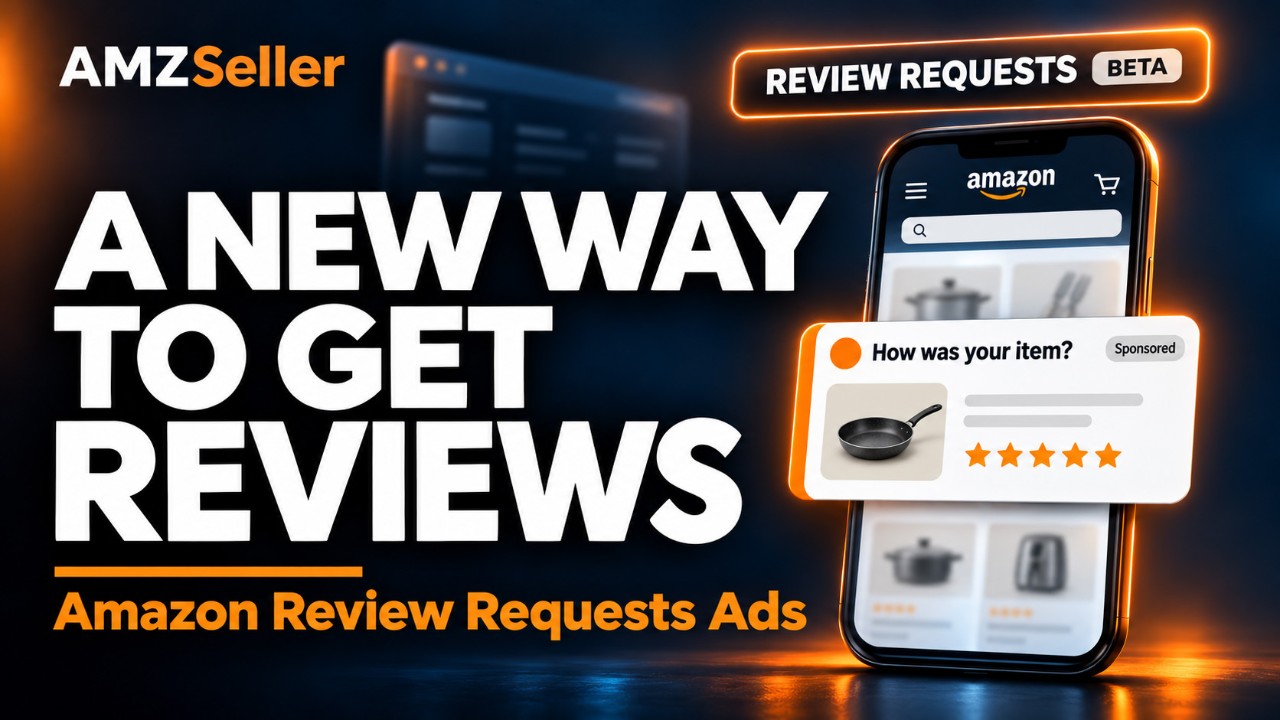
A shopper who recently bought your product sees a “How was your item?” card while browsing Amazon. One tap leaves a star rating. A written review, photo or video is optional.
Who can use it (Eligibility)
Products with fewer than 1,000 ratings and reviews. Once a product hits 1,000, its ads pause automatically.
United States only, in beta.
Is the 1,000 limit per child ASIN or per parent?
Amazon doesn’t spell this out in its documentation, or at least I couldn’t find it. So I asked Amazon about this too, and the early answer is that the limit works like Vine: reviews from all child ASINs roll up to the parent, and that total is checked against 1,000. Ads run on the child ASINs, not the parent. Amazon is still confirming this, so I will update this post once I have the final answer.
So who are you bidding against?
Here is what Amazon told me: you are not competing with other brands for reviews on your own product. The card only goes to your verified buyers, but it sits in a shared ad slot on the Amazon homepage.
So the auction is not about the customer. It is about the real estate. Your buyer’s homepage has a limited number of ad slots, and your review card has to outbid whatever else could fill one: a Sponsored Products ad for something they have never bought, another ad type, or a review request from a different seller they also ordered from.
What that means for your bids
- No impressions? Your bid is too low to win the slot. Raise it.
- Budget gone by noon? The bid is fine. Raise the daily budget.
- Volume has a ceiling. You can only reach people who bought the product, so a higher bid gets you reviews faster, not more reviews than you have buyers.
What you cannot control
There is no targeting. You cannot choose which buyers are asked, and you cannot influence the rating they give. An unhappy customer gets the same card as a happy one, and you pay for a one-star rating just as you pay for a five-star one. Fix the product before you scale the budget.
Setting it up
Campaigns are created in the Ads console or through the Ads API, one ad per ASIN, with a bid and a daily budget. One limitation for now: review-specific metrics appear only in the console. The reporting API returns just the standard delivery numbers.
That’s the picture, friends. If I learn anything new I will update this post, but I think I have covered the whole topic.
Personally, I will be using this. On new product launches we could get up to 30 reviews through Vine, but 30 is a very limited number. I was expecting Amazon to raise the Vine cap to 100 or 250. Instead, it came up with something more interesting.
And from a business point of view, this approach is more profitable for Amazon. This new ad type enters the bid race against other ads, which heats up the competition and pushes winning bids higher. Amazon is very good at doing that kind of math :)
But whatever the motive, this is good for sellers. Yes, it’s a paid feature, but I would rather have it paid than not have it at all.
By the way, don’t forget to check out AMZSeller.com’s Review Automation tool. With its unique Smart Timing and Review Shield features, it is the most advanced review request tool on the market. We haven’t had time yet to think through how to combine this new review ad feature with AMZSeller.com’s Review Automation tool, because this is really an advertising product, so the two don’t quite line up. We will definitely offer it to you as a feature, but whether it belongs on the advertising side or the review automation side needs a bit more thought.
That’s it for this post. You can share your thoughts, suggestions and questions in the comments. See you in the next post or video.
Wishing you all plenty of five-star reviews.
Comments
Loading comments…